When people visit a museum or a visitor center, they want to see everything clearly. Maybe it’s a short film, a photo slideshow, or something interactive on screen. If the picture looks blurry or the screen is too small, it just doesn’t feel right. Something’s missing.
That’s why having a good screen isn’t just a nice extra—it’s important. It helps tell the story properly and keeps people interested. One option that works well is the Draper projector screen. It gives a neat setup and shows your content the way it’s meant to be seen. There are no blurry images, no fuss.
What Makes the Acumen E Screen a Good Choice?
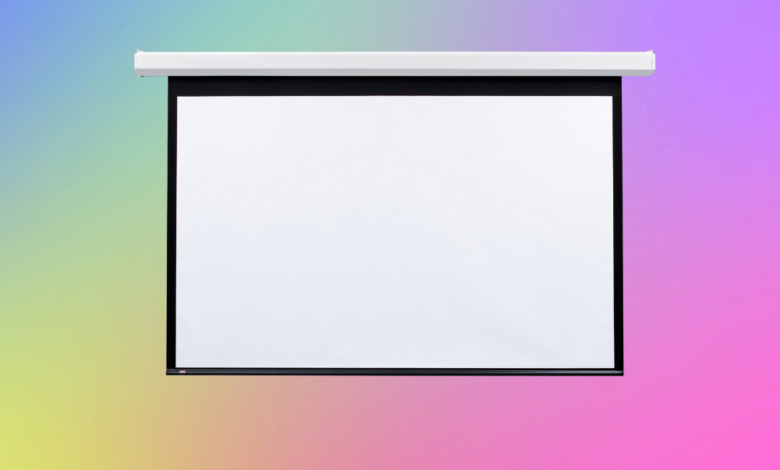
The Acumen E is a smart and strong screen made for busy spaces. It’s a motorized projection screen that rolls down when needed and disappears when not in use. No pulling, no folding—just one button and it works.
It comes in a tidy metal case that blends well into modern rooms. Most people go for the white case, but black is also available if that suits the room better. The screen fits nicely in museums, galleries, learning rooms, or any place that sees a lot of foot traffic.
Get the Size That Fits Just Right
It might be tempting to go for the biggest screen available, but that’s not always the right move. If the screen is too big, people sitting close will have trouble watching comfortably. If it’s too small, people at the back will have trouble seeing.
The Acumen E can go up to 10 feet wide, which works great for most spaces. The best way to choose a size is to check the room’s size and where people will be standing or sitting. You want everyone to see the screen clearly without straining their necks or eyes.
Pick the Surface That Shows It Best
This is where many people get stuck—but it’s simple. The surface of the screen affects how the image looks. Brightness, color, and viewing angles all depend on the material. Here are some good choices with the Draper projector screen:
- Matt White XT1000E – This one shows bright and even pictures. It’s great if people are spread across the room.
- OptiView™ – This one gives nice color balance and works well with detailed images.
- Black drop border – This adds a clean edge around the screen, making the picture look framed and neat.
It’s just about finding the one that fits your space and setup.
If you’re unsure, ask for samples. It’s always good to test it with your projector first.
Quiet Motor, Easy Controls
One of the best things about the Acumen E is its smooth and quiet operation. When you press the button, the motorized projection screen gently rolls down. When you’re done, it rolls back up just as quietly.
It comes with a wall switch, and you can also get a remote control or connect it to your AV system. It’s simple, flexible, and requires minimal effort to use.
Installing It Without Any Trouble
You don’t need to be a tech expert to install this screen. It comes with floating wall brackets, which means you can move the screen left or right to line it up properly before you tighten the screws.
If you want to hang it from the ceiling, there are brackets for that, too. The screen also has a panel that pops off easily if you need to check the motor or wiring. It’s made to be straightforward for anyone setting it up.
Keep It Looking Good
This screen is made for regular use, but a little care helps it last even longer:
- Roll it up when not in use to keep the screen clean.
- Wipe it gently with a dry cloth now and then.
- Don’t use strong cleaners or wet cloths on the screen.
- Once a year, check the wall mounts and latches to make sure they’re tight.
Doing these small things will help keep your screen working smoothly.
Simple Do’s and Don’ts
Do:
- Ask for a sample before picking the fabric.
- Try connecting it to your AV system for easier use.
- Use the screen in dry and clean areas when possible.
Don’t:
- Don’t leave the screen down all day if you’re not using it.
- Don’t try to open the motor case without switching off the power.
- Don’t clean it with water or harsh sprays.
Final Thought
If your museum or visitor center needs a screen that looks clean, works smoothly, and shows your content the right way, the Acumen E from Draper is worth looking at. It’s neat, quiet, and fits right in.
With a screen like this, your displays will look better, and your visitors will enjoy the experience more. Whether you’re showing history, art, or travel information, a good screen helps people stay engaged.